What Is Tiktokenizer?
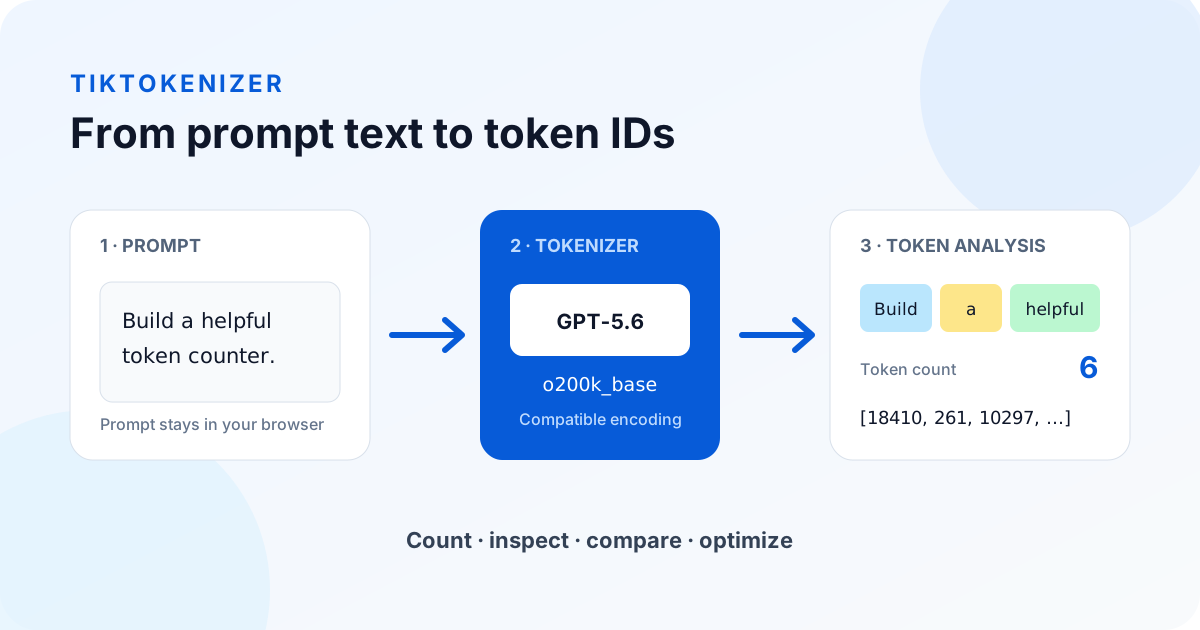
Tiktokenizer is a browser-based tokenizer explorer for developers, prompt engineers, researchers, and anyone building with large language models. It turns text into the smaller units a model reads, shows the numeric ID assigned to every unit, and makes token boundaries visible. Instead of relying on a rough words-to-tokens formula, you can paste the exact prompt you plan to use and inspect how a selected encoding processes it.
The name Tiktokenizer combines tiktoken—the tokenizer library associated with OpenAI models—with the practical job this tool performs. Tiktokenizer is not a language model and it does not generate an answer. It is a measurement and debugging tool. Use it before an API call to understand prompt size, investigate unexpected splits, compare encodings, or check whether text is likely to fit within a model context window.
Unlike a basic word counter, Tiktokenizer understands that tokens are not the same as words. A short word may be one token, a rare term may become several tokens, and punctuation, spaces, code, emoji, or non-English characters can change the result. Seeing those boundaries directly in Tiktokenizer is especially useful when a prompt contains structured instructions, source code, JSON, multilingual text, or long conversation history.
How Tiktokenizer Counts Tokens
Tiktokenizer loads the selected tokenizer or compatible encoding in your browser. As you type, the text is encoded into token IDs and then grouped into visible colored segments. Hovering a segment connects the readable text with its underlying IDs, while the whitespace option exposes spaces, tabs, and line endings that would otherwise be easy to miss. This makes Tiktokenizer useful for both quick counting and detailed tokenizer debugging.
For raw tiktoken encodings such as o200k_base and cl100k_base, the displayed result represents the selected encoding directly. For supported open-source models, Tiktokenizer can load a published Hugging Face tokenizer. A model label marked as compatible uses the known base encoding as a practical view, while a reference-only model requires its provider's counting API for an authoritative number. Every Tiktokenizer page states that accuracy boundary instead of presenting an approximation as exact.
API usage may contain more than the raw text you paste. Chat roles, message separators, tool definitions, images, provider templates, cached context, and reasoning tokens can affect the final request or bill. A Tiktokenizer result helps you understand the text layer and individual message bodies, but production cost and hard context-limit decisions should always be checked against the current provider documentation and the usage returned by the API.
Tokenizer Visualizer for Token Boundaries and IDs
Use Tiktokenizer as a tokenizer visualizer when a total count is not enough. Every colored segment marks a decoded token boundary, and hovering connects that segment to its numeric token ID. This makes unexpected splits visible in ordinary prose, source code, JSON, emoji, punctuation, and multilingual prompts.
Turn on Show whitespace to expose spaces, tabs, and line endings that can otherwise be difficult to diagnose. Then switch models or raw encodings while keeping the same text in place. The visual comparison shows exactly which boundaries changed instead of reducing the result to one unexplained number.
Online Tokenizer Playground for Prompt Testing
The live editor works as an online tokenizer playground: paste text, edit it, change the selected model, and see the count update immediately. There is no submit step for supported local tokenizers, so you can test several prompt versions without sending the prompt to an application server.
Every model tool offers Plain text and Chat messages input modes. Arrange system, user and assistant messages in Chat messages mode, or paste a passage in Plain text mode. Chat mode counts each message body separately and excludes role names and provider message wrappers. Model-specific pages preserve the intended tokenizer and accuracy label.
| What you want to test | Recommended starting page | Result |
|---|---|---|
| OpenAI and raw tiktoken encodings | Tiktoken online | Boundaries, token IDs, and Python guidance |
| ChatGPT-style messages | ChatGPT token calculator | Conversation structure and compatible count |
| Different LLM providers | Tokenizer support by model | Exact, compatible, and API-counting methods |
Text to Tokens Converter
To convert text to tokens, paste the exact text into the editor and choose the tokenizer used by your application. Tiktokenizer returns the total count, readable token segments, and token IDs. Because the conversion uses the actual selected encoding, it can reveal differences that a words-to-tokens formula misses.
Copy the token IDs when you need a reproducible debugging reference, and keep the readable segments visible when explaining a split to another developer. For complete production requests, compare the local conversion with the provider's request-level count or response usage because roles, tools, media, and generated output may add tokens.
GPT-5.6 Tokenizer Support
The GPT-5.6 tokenizer view in Tiktokenizer covers GPT-5.6 Sol, GPT-5.6 Terra, and GPT-5.6 Luna. These model choices use the compatible o200k_base encoding so you can inspect prompt text, token boundaries, and IDs locally. Sol is positioned for frontier reasoning and coding, Terra balances intelligence and cost, and Luna targets cost-sensitive high-volume work, while Tiktokenizer provides one consistent prompt analysis workflow.
Choose a GPT-5.6 model and select Plain text or Chat messages. In chat mode you can arrange system and user messages and inspect a separate count for each body. Roles and provider message wrappers are excluded rather than represented with synthetic model tokens. This helps compare wording and system instructions while keeping the local counting boundary explicit.
A compatible GPT-5.6 tokenizer count should be treated as planning data rather than a billing guarantee. OpenAI can account for structured request content and model-side behavior beyond the base encoding. Tiktokenizer therefore labels GPT model support as compatible and links model-focused pages internally, so users can distinguish a raw encoding result from complete API usage.
Kimi K3 and DeepSeek V4 Flash Token Counters
Tiktokenizer can load model-specific base-text tokenizers for both Kimi K3 and DeepSeek V4 Flash. The colored boundaries and token IDs come from each open model's published vocabulary rather than an OpenAI encoding used as a proxy. Both choices are searchable in the model selector and have dedicated URLs with current model facts and counting guidance.
Kimi K3 publishes a 160K vocabulary and a custom Python XTML encoder. The browser uses a compatible conversion for exact ordinary-text analysis, while complete K3 messages, reasoning, tools, images, and video require the official encoder or Kimi API usage. DeepSeek V4 Flash publishes a browser-loadable tokenizer directly; its separate message encoder is still needed for complete multi-turn and tool-enabled requests.
| Model | Browser result | Complete request source of truth |
|---|---|---|
| Kimi K3 | Exact ordinary base text | K3 XTML encoder and Kimi API usage |
| DeepSeek V4 Flash | Exact base text | V4 message encoder and DeepSeek API usage |
How to Use Tiktokenizer
Start by selecting a model. All model tools start in Plain text mode; switch to Chat messages to add system, user, assistant or custom-name messages. The separate encoding tool keeps its plain-text interface. Tiktokenizer updates the total token count, colored segments, and token ID list as the input changes, so there is no submit button and no account is required.
Next, inspect the Tiktokenizer areas that matter to your use case. Turn on Show whitespace when line breaks or indentation may be responsible for an unexpected count. Hover over a colored segment to map it to the corresponding token ID. Switch between o200k_base and cl100k_base to compare encoding generations, or open the Chinese token counter page to examine mixed Chinese and English prompts. Model-specific URLs can be bookmarked and shared without losing the intended tokenizer selection.
Finally, use the result to revise the prompt rather than simply chasing the smallest number. Remove repeated boilerplate, shorten verbose examples, and keep instructions unambiguous. A slightly longer prompt that produces reliable output can be more economical than a short prompt that causes retries. Tiktokenizer supplies the measurement; prompt quality, model choice, output length, caching, and current API prices determine the real production tradeoff.
Tiktokenizer Accuracy and Model Differences
No single tokenizer can reproduce every GPT, Claude, Gemini, DeepSeek, Qwen, Mistral, and Llama model. Each provider can use a different vocabulary, normalization rule, special-token set, or chat template. Tiktokenizer communicates this through exact, compatible, raw-encoding, and unavailable support labels. Those Tiktokenizer labels are part of the result: they tell you how much confidence to place in the number before making an API or context-window decision.
Kimi K3, DeepSeek V4 Flash, and DeepSeek R1 can use model-specific base-text tokenizers in the current Tiktokenizer browser runtime. GPT-OSS pages provide a compatible base-text view while excluding the Harmony wrapper. Claude and Gemini require their official token-counting APIs for authoritative model-aware counts, so their Tiktokenizer pages are guides rather than false exact calculators. Qwen, Mistral, and Llama reference pages explain why the exact checkpoint and chat template matter before local support is claimed.
This distinction also makes comparisons more honest. If you compare GPT-5.6 with Claude or Gemini, count the same structured content with each provider's supported method, then apply current input, output, and caching prices. Comparing one exact count with an unlabeled proxy can produce a misleading cost conclusion. Tiktokenizer is designed to make the tokenizer method visible, not hide it behind a single number.
Private Token Analysis in Your Browser
Prompt text can contain source code, internal instructions, customer information, or unpublished writing. Tiktokenizer performs supported tokenization in the browser and does not send your prompt to an application backend. Some open-source tokenizer files may be downloaded from Hugging Face when first selected, but the prompt itself remains in the local browser session.
Browser-based processing also makes Tiktokenizer fast for repeated experiments. You can edit a message, compare whitespace, switch encodings, and inspect Tiktokenizer token IDs without waiting for a generation request. There is no API key requirement for supported local encodings. If you follow a reference page to an official provider counting endpoint, that separate API call follows the provider's own data and retention policies.
For sensitive production material, apply your organization's normal security rules even when using a local tool. Review browser extensions, device access, copied text, and third-party tokenizer downloads. Tiktokenizer's local architecture reduces unnecessary transmission, but secure handling still depends on the environment in which the browser is running.
When a Token Counter Is Useful
Use Tiktokenizer while designing system prompts, preparing retrieval-augmented context, sending code or JSON, translating prompts, estimating batch sizes, or migrating between model generations. A Tiktokenizer analysis can reveal that a repeated schema dominates the request, that whitespace is consuming more tokens than expected, or that the same meaning has a different footprint across languages and encodings.
Tiktokenizer is also useful for teaching and debugging. Colored token boundaries make byte-pair encoding easier to understand than an abstract definition, and token IDs provide a concrete way to reproduce an encoding result in code. Developers can compare the browser output with server logs, provider usage fields, or a local tokenizer library when diagnosing discrepancies.
Token count is only one part of model performance. Context placement, instruction clarity, retrieved-document quality, tool schemas, output limits, and model behavior also matter. Use Tiktokenizer as a focused diagnostic instrument: measure the prompt, understand how it is encoded, confirm the support level, and then validate the complete request with the model provider before deployment.
How Much Does a Prompt Cost?
Estimated API cost is token count × price per token, with separate prices for prompt (input) and completion (output) tokens. Use the token counter above to get the text count the calculation needs, then check the model's support label and provider usage for the complete request. Explore input, output and cache scenarios with the Haiku pricing calculator.
| Model | Input price per 1M tokens | Cost for 1,000 tokens |
|---|---|---|
| Claude Haiku 4.5 | $1.00 | $0.001 |
| Claude Haiku 5.5 | $0.10 | $0.0001 |
| GPT-6 Sol | $2.00 | $0.002 |
| GPT-6 Luna | $0.10 | $0.0001 |
Cost Per 1,000 Calls
Repeating a 1,000-token input prompt for 1,000 API calls totals 1,000,000 input tokens. At the same uncached list prices, estimated input spend is $1.00 for Claude Haiku 4.5, $0.10 for Claude Haiku 5.5, $2.00 for GPT-6 Sol, $0.10 for GPT-6 Luna. Output usage is additional; compare model support and counting methods in the model directory.
List prices checked against official pricing pages on 2026-10-09.
Supported models
Exact local means Tiktokenizer loads the published tokenizer for the named model and counts its base text in your browser. Compatible means a known encoding provides a useful text-inspection view but may not reproduce the model's complete request usage. Estimated means the browser applies the provider's documented approximate text ratio without producing token IDs; it is an English-oriented planning heuristic, not model-exact usage. Reference-only means the browser has no verified tokenizer mapping for that model, so its local count is a comparison rather than a model-exact result. API counting required means you should use the provider's model-aware counting method; check its guarantees because Claude count_tokens returns a preflight estimate that can differ from actual Messages usage. The table copies the model directory's support labels verbatim. Last verified shows the linked model page's recorded verification date; Not specified means no model-specific verification date is recorded.
| Model | Support level | Last verified | Page |
|---|---|---|---|
| GPT-6 (Sol & Luna) | Local estimate | 2026-10-08 | GPT-6 Token Counter |
| GPT-6 Luna | Local estimate | 2026-10-08 | GPT-6 Luna Token Counter |
| GPT-6 Sol | Local estimate | 2026-10-08 | GPT-6 Sol Token Counter |
| Claude Haiku 5.5 | Local character estimate | 2026-10-08 | Claude Haiku 5.5 Token Counter |
| GPT-5.6 | Compatible | Not specified | GPT-5.6 Token Counter |
| GPT-5.6 Sol | Compatible | Not specified | GPT-5.6 Sol Token Counter |
| GPT-5.6 Terra | Compatible | Not specified | GPT-5.6 Terra Token Counter |
| GPT-5.6 Luna | Compatible | Not specified | GPT-5.6 Luna Token Counter |
| DeepSeek V4 Flash | Exact base text | 2026-08-05 | DeepSeek V4 Flash Token Counter |
| Kimi K3 | Exact base text | 2026-08-05 | Kimi K3 Token Counter |
| Grok 4.5 | Reference encoding | 2026-08-05 | Grok 4.5 Token Counter |
| Gemini 3.6 Flash | Local estimate | 2026-08-05 | Gemini 3.6 Flash Token Counter |
| Claude Sonnet 5 | Local estimate | 2026-08-05 | Claude Sonnet 5 Token Counter |
| Qwen3 | Exact base text | Not specified | Qwen3 Token Counter |
| Mistral | Reference only | Not specified | Mistral Token Counter |
| Llama | Reference only | Not specified | Llama Token Counter |
Tiktokenizer Reference Sources
Tokenizer behavior and model limits change. Verify production decisions with current provider documentation: